Show Flow Templates: Time-Tested Run-of-Show Event Templates & Tips

A universal quality of live, virtual, and hybrid events is having many moving pieces, some of which happen simultaneously, all of which need to happen on time. The only way to make sure that the event is a success is to create a guide that everyone in the production team can reference. We call this a run-of-show or event show flow. These are familiar to anyone with in-person event creds, and they continue to evolve in virtual production settings.

As an award-winning event production company, we have learned a thing or two about coaching event planners to create detailed, effective run of show templates that aligned and guide remote team members on a down-to-the-minute plan for your event.

In this article, we’ll walk you through the basics of a event show flow template. We’ll discuss how they can benefit your team and your event, what information to include, as well as how to create your own from our free template. 

[Jump straight to our run-of-show template for in-person, virtual, & hybrid events]

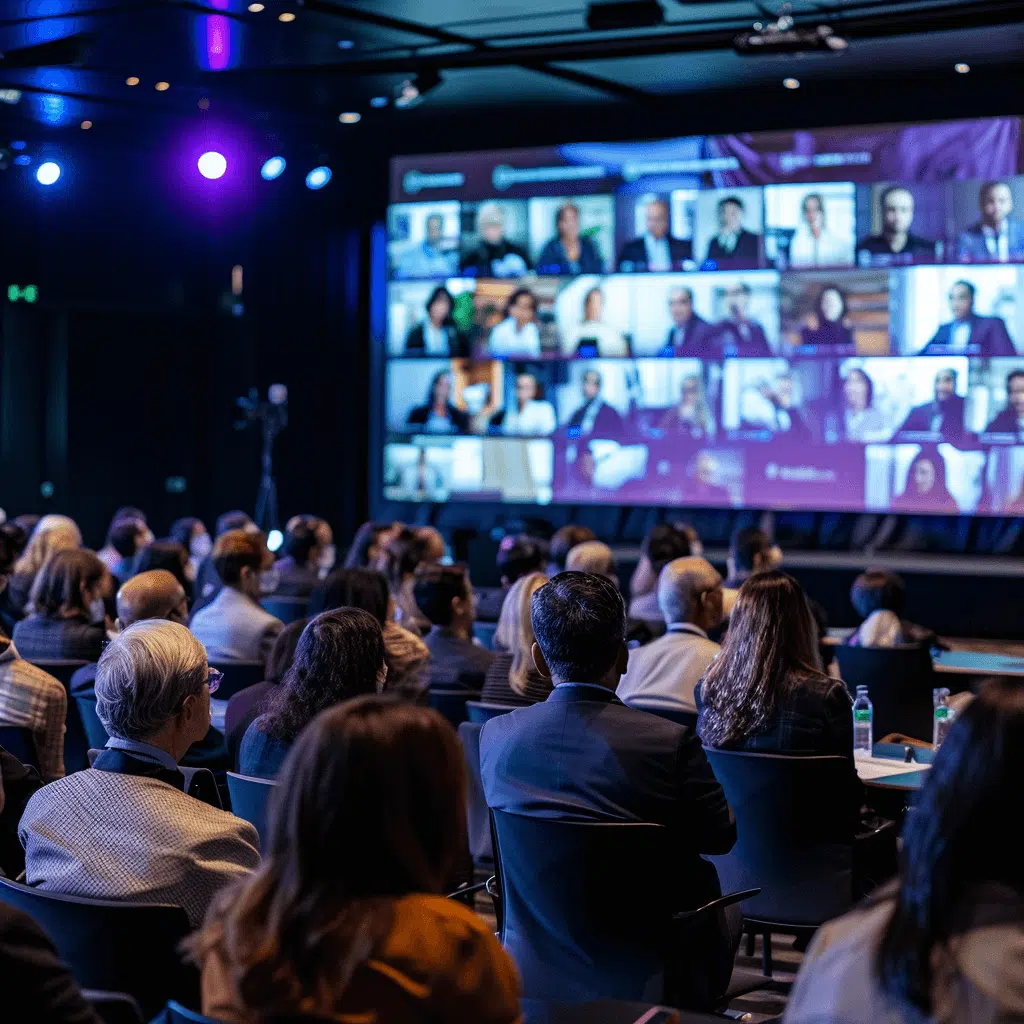
A large group of people watching a large screen.

One Event. Two Experiences.

Skillfully engage both your in-person and online attendees through our cutting-edge hybrid event production services.

What is a run-of-show or event show flow template?

An event show flow template (sometimes called a run-of-show) is a one-page guide that offers an overview of the structure of the event. With this guide, it’s easier to coordinate with everyone on the team. It also helps you keep track of the event’s run time. If an event is falling behind schedule, the template will make it easier to trim specific segments to get the show back on track.

Different production teams need different details. You may need to prepare different versions of the event show flow. But it’s also fine to start with one version and provide your team the space and means to help evolve it to different scenarios. You might find that certain scenarios, such as fundraising gala events, require their own template.

What should a show flow template include?

Run-of-show documents typically use spreadsheets to organize event details. Standard elements include time, duration, session name, segment description, presenter(s), multimedia content (like presentations, video clips, music), interactivity (like polls, surveys, Q&A, etc) and notes. The event show flow can expand to accommodate additional details and resource considerations, particularly for hybrid events combining virtual and live production.

Each element receives detailed attention below…

What's the difference between a show flow and a script?

It’s easy to confuse a script for a show flow and vice versa. However, scripts are lengthy because they contain the actual content for your presenters/speakers, whether bullet points (recommended for more authentic presentation styles) or full speeches when needed, as well as wording for instructions, how to introduce speakers or video clips, get attendees ready to participate in Q&A or breakouts, So, it’s not surprising to find a 20-page event script.

In contrast, show flows are concise plans for your producer. The flow document is meant to give an overview of the event, so all the information you need should fit on a single page. The more straightforward and more digestible your show flows are, the smoother your events run.

How to create a run-of-show template for a smooth live event

You might be unsure what to include in your show flow template. So, we break down the elements you need in this section.

First, you need to determine what medium to use.
For in-person events, the main show flow may be written on a large whiteboard or piece of paper hung backstage, so everyone who’s a part of the show knows when their segment is supposed to happen.

For virtual events, it’s easier to keep your template online. You can build your show flow in a Excel spreadsheet or on Google Sheets.

Pro-Tip: We recommend Google Sheets so it’s always up to date and you can always revise without having to email a file to update the production team should you need to accommodate last-minute changes. 

Don’t want to create your own template from scratch? Scroll down or click here to get our free run-of-show template as a Google Sheet or XLS now.

Whether you’re making your own template, or using ours, it’ll help to know the purpose of each column and how they’ll help your producer create a smooth event.

Get “The Event Success Playbook”

Our proven event planning playbook has step-by-step strategies to increase qualified leads 25%+, grow revenue, and boost engagement.

A person holding a tablet.

Here’s what to include in each row or segment of your run of show:

Add a Row & Number for Every Change in Speakers, Interactive Element, or Multimedia

Most of our clients are shocked after we help them flesh out their runoff show, by how many details they didn’t think through.

You can’t just list the order of speakers.

You have to think through every transition in order to have a smooth production:

  • How are we starting and stopping each session including multimedia before and after anyone’s on stage?
  • Who’s introducing the next speaker ( Do you have a consistent mc up between each speaker and are they the only one on stage or screen at that time or will the speaker be there with them?)
  • Do you have multimedia like music and/or visuals during presenter introductions?

The first column typically contains activity cues. While spreadsheets include automatic row numbers, adding specific cues clarifies your show flow template structure. This simplifies team communication – rather than referencing “third column on the third row,” members can say “row three in the segment column.”

List the Start & End Time of Each Segment & Sessions

Timing usually occupies the next column after cues. This portion helps everyone on the team keep track of what’s scheduled to happen during that time frame. For example, a speech is supposed to last only 30 minutes. So indicate in your timing that the speech will run from 9:00 am-9:35 am. It’s also essential to account for transition time as your moderator introduces presenters and gives instructions. 

Between sessions, count on a little buffer time to make room for possible technical or logistical issues.

How to handle time changes in your run of show
For single session or single-track events, don’t stress too much if timing goes off track. Instead, think of timing as a general guide.

For conferences or multi-track events, it’s often essential to start and end on time. Once time goes off track, it’s tough to get it back, so see if you can shorten or extend segments to not delay upcoming sessions. 

List Your Session Durations

While it may seem redundant, the duration column offers more specific information than the timing column. Knowing how much time is allotted for a particular segment helps you determine how much time is left before you can cue the next part or the next speaker.

For example, if a 10:15 am speech is supposed to last 45 minutes, then the show caller or the AV team will know that the next cue should start at 11:00 am. Running a successful event is all in the details.

Our run-of-show template which you can download below for free will auto-calculate your segment durations for you.


Easy starting packages • Advanced options • Proven results


Describe Each Segment

This portion of the show flow describes the activity that’s supposed to happen during a given window of time. For example, the event is scheduled to start at 8:15 am. Under the segment column, you can put “event starts with moderator welcome.” This reminds your event producer to cue the emcee to begin their welcome spiel.

If you want to break this down further, you can create another column where you can write a detailed description or a sentence about what will happen in this segment.

Plan the Show Flow by Listing Your Presenters & Speakers for Every Segment

This column helps your producer better manage the presenters, speakers, and other talent at the show. This field informs everyone when their part is and how much time they have before going on the stage. This column also makes it easier for the show caller or the director to cue the next presenter.

For example, while the CEO is making the opening remarks, the next speaker can already be cued 10 minutes before the CEO wraps up their speech.

Keep names to just that, though – names. Long titles and other details tend to clutter the list. Your production team will thank you for keeping that information on a separate sheet. 

Pro-Tip: We recommend a separate Speaker Spreadsheet that includes titles and organizations for designing your lower thirds. Depending on your production tool, your producer may have to cue these graphics as they follow your run of show script.

Cue Multimedia: Videos, Graphics, Music & Slideshows

This column lets your livestream or video technician know what multimedia attendees should see at any given time. For example, it makes it easy to keep track of when to switch the spotlight from a speaker to play a pre-recorded video or go split screen with a speaker & call-to-action graphic.

Pro-Tip: List the file name of each piece of multimedia and also link to the URL of where that asset has been provided. While slideshows are great to use from Google Slides, videos should be downloaded and broadcasted by the producer, not streamed from YouTube or other online hosting.

Indicate Interactivity

Here, it’s a good idea to list out any type of audience interactivity that is planned in your event including: 

  • Chat messages – Write the copy to post including instructions, reference links, etc. 
  • Polls – List the name of the poll to launch. 
    Pro-Tip: add a separate line item if you want your producer to screenshare the poll results to your attendees.
  • Breakouts – Clarify if you’re using automatic or manual breakout assignments and the number of attendees per breakout. This may need a separate sheet if you’re planning moderated breakouts or manual assignments. 

How do you fill out an event show flow template?

On your blank spreadsheet or Google Sheets document, start by filling out the first column with numbers for your cuing. In the following columns, write down in the first row the following: time, duration, segment, segment description, presenter, content, and notes. After you’ve filled out the first row, fill up the next rows with information about your event.

For example, the first row after the column titles may look like this:

1 – 8:15 am. 10 minutes. Welcome Spiel. Voice over opens the event by welcoming attendees with the spiel. Voice Over Artist or Host. Event logo to screen. VO will segue to introduce the CEO for the welcoming remarks.

In the example above, you see an overview of all the elements you need to make the show’s first segment successful. Follow this general guideline when filling up the rest of the rows.

Remember to keep this document short. A one-page show flow is ideal. If your event has multiple sessions, like morning and an afternoon session, or spans multiple days, it’s best to create a one-page show flow for each session.

Want expert guidance & exclusive deals on top online event software? Contact us today and save!

As a preferred production partner with top virtual event platforms, we get exclusive discounts and pass the savings along to our clients.

How to Log Revisions in Your Show Flow

Revisions are unavoidable. Last-minute changes happen even to the best event planners—all the time. The key is to have a system to inform everyone about these changes. This allows you to mitigate for them more efficiently and effectively the next time around.

If you’re not using Google Sheets or similar online docs, you’ll need to adopt a file naming system. This way, every team member can quickly check whether the copy they have is still up-to-date. For example, you can save your revised file as “Event Show Flow v3” to indicate that this file has been modified three times already. And those who are still holding on to the second version of the flow will know when to update their copies.

If you need to make edits after you’ve already gone over your Run-of-Show with your producer make sure to highlight any changes, such as with a bright text or cell background color, as everyone might not spot the changes. 

Free Show Flow Template Example for In-Person, Virtual, & Hybrid Events

Get instant access to our run of show templates – no signup required – just click to create a copy in your Google Drive or download a XLS.

The NEW Virtual Event Management Basics

Live events are making a comeback in a HUGE way, and they’re not looking to stop anytime soon. At the start of the pandemic, all of us in every corner of the events industry had to make a quick left turn to keep things moving, and we learned a lot along the way. Now that people are craving location-based events more than ever, how do we continue to leverage virtual meeting platforms to keep our attendees engaged and excited? How do we keep virtual events enticing? And which best virtual event management practices can we use to bridge between online and in-person? 

How to Empower Your Virtual Event

One of the easiest ways to launch your virtual event to the next level is by hiring a virtual event company. Preferably one with a digital marketing background, because they know how audiences think and behave in digital spaces. It wouldn’t hurt to make sure they have a history with live events, too, so they have the best grasp of both sides of the coin. Yes, that describes We & Goliath and might be self-promotional, but that’s the kind of agency we would hire if we were in a client’s shoes.

Whoever you hire, make sure they are imparting knowledge to you and your team. You should walk out of your first engagement with a noticeably expanded literacy in virtual event production. At its most basic, this should include a clear understanding of the virtual event platform you’ll be using and why.

Whether for a webinar, conference, virtual exhibition, or virtual festival, virtual event planning follows a similar pattern as in-person event planning. However, some of the variables might change.

If you decide to hire a virtual event company, you can expect a close relationship with your account executive or project manager—or both. Since “close” does not necessarily imply “good,” try to meet & assess the would-be point of contact for your production agency. Make sure they’re someone with whom you could see yourself working.

This individual will be overseeing and executing plans on the event’s day, and will likely have a hand in coordinating directly with speakers, attendees, sponsors and exhibitors. Virtual event management involves meticulous planning of the overall event and individual sessions to focus on sustainable and positive ways to increase social media integration and audience engagement. This ensures that your virtual event will be successful and have greater mileage.

Besides this point of contact (AE/PM), you should also expect to have a strategist assigned to your event. They are responsible for the bigger picture of production (e.g., they need to make prompt and sound judgments on what technology to invest in) as well as promotion before, during and after the event. They should have a deeper understanding of how to leverage social media, email automation & marketing, and advertisements. They also engage with clients early on in the process, helping the client organize goals, objectives, and assets, and how your event will be best distinguished from others.

Of course, every agency has its own spin on the names of these roles. An account executive could be called a “Delight Specialist,” while fancy project manager titles can contain words like “Ninja” or “Scrum Jedi.” In another context a strategist could be called something generic like “Enrollment Officer.” This is why it’s best to think of your partners in terms of their roles. Don’t be afraid to say, “That’s great, but which one of you would be my production point of contact? And my strategist?” And if they can’t answer the latter question, hire someone else.

Event technology is also one of the (if not the) top expenses you will need to determine when hosting a virtual event. Your virtual event management company or event planners will help you determine which software or platform is appropriate for your particular event.

Why host a virtual event?

Virtual events offer various advantages for your organization while also achieving your organization’s goals, including building loyalty for your brand or product, driving leads and revenue, or getting a message about an initiative across to your target audience.

Chief among these advantages is accessibility. Online events make it easier to accommodate guests who are unable to attend in-person. This also means that your virtual event allows you to reach more people, even those who live on the other side of the globe.

Another advantage you gain from hosting virtual events is that they are dramatically cheaper than the in-person option. This is true not only for the event host, but for the attendees, speakers, and performers who would otherwise have to travel. And if your organization is successful at pulling off a few virtual events, you’ll be perched for greater success should you try to host hybrid events — the new gold standard of events!

The accessibility of virtual events makes it perfect for when there is no other option. Whether due to extreme weather or a global pandemic, online events allow you to push through with your plans.

How to Plan a Virtual Event

A virtual event is built around attendee engagement, data, and of course, content. The quality of your video production as well as connectivity will be important. To ensure that your virtual event is seamless, you might want to consider a mix of live and pre-recorded content.

Some of the elements you need to consider for a virtual event include the event website, email marketing, event registration logistics, pre-recorded content, live video or audio, and interactive video conferencing, among others. Below we breakdown the four universal elements across any virtual event type.

Event website

This is where all your content can live: from event promotion to registration to FAQs and post-event content, like downloadable slides from the event or a recorded replay of the whole thing! Creating the appropriate design and feel for your event website can help entice your target audience to register. 

Registration

Registration tools are critical for the success of your virtual event. Registration tools are vital because they can provide you or your virtual event management consultant important information about your guests, such as preferences, personal information, and future engagement details. Some registration tools also make it possible for your attendees to pay if required. Simply put, an effective online registration tool should allow your attendees to register easily and provide you with the data you need to plan a successful event. 

Email marketing

Cultivating an email list is one of the best ways to communicate with your registered attendees throughout all the stages of your virtual event, from pre-event and during the event to post-event feedback surveys. It’s best to use an email marketing tool that can deliver personalized and branded emails while providing click-through metrics and open rates. 

Mobile event apps

Mobile event apps or online event guides create a home base for your attendees to refer during the virtual event. These apps are also helpful when you’re hosting in-person or hybrid events. They can contain the event’s agenda with links to sessions, putting essential content at attendees’ fingertips. 

More comprehensive event apps make it easier for your attendees to network with like-minded people via messaging tools. Furthermore, some mobile event apps also provide you with data on attendee engagement and session popularity—helpful when you need to plan future events.

Virtual Event Types

Better understanding of the different online event types can help you drill down into the nuances of specific event planning and make the occasion more meaningful to your attendees. Below, we breakdown the common virtual event types. 

Rise Up for Justice’s Black Lives and Our Collective Future (2020)

Webinars

Webinars are similar to in-person seminars, where the flow of information is typically one way. It usually lasts for a defined (and typically short) period of time and accommodates attendees from around the world to experience one or more speakers present the content.

Webinars sometimes utilize interactive video conferencing tools that allow for question and answer sessions and the capacity to broadcast pre-recorded videos as well as to present live to camera. Most webinar presentations are also offered as on-demand content long after the virtual event is over. This is a popular format for internal and external trainings. 

Centre for Sport and Human Rights’ Sporting Chance Forum (2021)

Virtual conferences

Virtual conferences revolve around a complex agenda that often includes keynote/plenary sessions, breakout sessions, and more. This virtual event model supports multiple sessions and can also include community engagement tools. Virtual conferences allow attendees to view keynote presentations in real-time, build their own agenda from on-demand content, as well as interact with other attendees, sometimes rivaling in-person events for lead capture and networking opportunities. 

AB-InBev’s Creative X Awards (2021)

Hybrid events

We’ll explore hybrid events more in-depth in later episodes, but this is the point where live and virtual events meet. This could be as simple as live streaming a general session with equal parts live and virtual attendees, or as complex as incorporating virtual presenters from around the world live on stage at your in-person conference. 

Story of Stuff’s Reclaim Nestlé’s Troubled Waters (2021)

External events

External virtual events refer to events held for people outside of your organization, like industry conferences. External virtual events require higher video production levels, which provides attendees an almost similar experience to in-person events. 

Buffalo Urban League’s Annual Gala (2021)

Internal events

This refers to virtual events that you hold for people within your organization, like virtual team building activities, department meetings, sales kick-offs, town halls, and company-wide events, among others. 

What’s the Difference Between a Webcast, Live Stream, Broadcast & Simulcast

Dipping your toes in the world of virtual events requires you to be familiar with the different types of broadcasting content. Determining which type your virtual event will be is necessary to determine the appropriate virtual event platform. 

Broadcast

Broadcasting refers to one-to-many message transmission. This is the type of transmission used by TV and radio. Technically speaking, any webinar or virtual event is, at its core, a form of broadcast.

Simulcast

Simulcasting is the broadcasting of your message across more than one medium, like transmitting content through TV and social media at the same time. In the virtual event space, people will often simulcast across Facebook Live and YouTube or even LinkedIn and Instagram. 

Webcast

Webcasting is transmitting content over the internet using streaming media technology to reach many people simultaneously. This content format can be distributed live or on-demand. It is essentially broadcasting but via the Internet. 

Live Stream

This refers to online streaming media, which is simultaneously recorded and broadcast in real-time. In larger virtual conferences and summits which feature prominent speakers with conflicting schedules, event producers will sometimes mix live stream footage with pre-recorded video. 

How to Make Exhibitors & Sponsors Happy with a Virtual Event

The concerns of exhibitors, vendors, and sponsors are the same in a virtual event as with an in-person event: they want to achieve excellent returns on their investment. To do this, you have to be a good listener. You need to find out what their concerns are about the problems their customers and sponsors face. So, you also need to consider the varied needs of their target audience.

You also need to ensure that they get adequate exposure. You can offer a tiered package and have them host a session during the event. This ensures that their target audience will still receive their message even after the event through on-demand content.

Encourage them to tell their stories to you, so you can provide them with appropriate solutions and help them level up their game.

Virtual event management is both an art and a science. While the elements are pretty similar to that of an in-person event, you still need to be open to accommodate your attendees and your event sponsors’ various needs. Only then will you be able to put together a virtual event that does not only send the appropriate message to your target audience but is also memorable for your attendees.